

https://<NETWORK>.invoca.net/api/2015-12-09/ring_pools/16/allocate_number.xml?ring_pool_key=<KEY>&site=<VALUE1>&location=<VALUE2>
<NETWORK>.invoca.net is the vanity URL for your platform. Note that your platform may exist on invoca.net or ringrevenue.com, and both are supported.
<RingPool_ID> is a unique identifier for the RingPool.
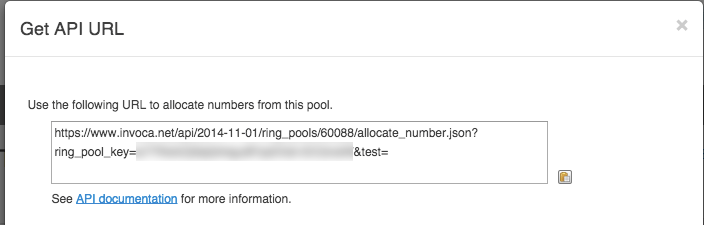
<KEY> is the RingPool key, which is provided through the RingPool wizard UI on the platform and should be kept a secret. The parameters are explained in detail below in the “API Parameters” section.
The parameter names should match those chosen in the RingPool wizard, or you can use generic parameter names “param1”, “param2”, etc. Here is the same API URL with the generic parameter names:
https://<NETWORK>.invoca.net/api/2015-12-09/ring_pools/16/allocate_number.xml?ring_pool_key=<KEY>¶m1=<VALUE1>¶m2=<VALUE2>
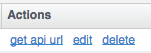
Note: To access the campaign RingPool’s API URL navigate to the Campaign Summary’s RingPool tab and click “get api url” under Actions.
Response Formats
The response can be in any of these formats: xml, json or csv. To choose the format, change the “.xml” shown in the URL to “.json” or “.csv”. Below are example responses for each format: xmlhttps://<NETWORK>.invoca.net/api/2022-08-01/ring_pools/16/allocate_number.xml?ring_pool_key=<KEY>&pid=5567&sid=adwords
Errors
The RingPool API clearly identifies errors when a request can not be processed. If the number pool is exhausted, the API still succeeds because an overflow number is returned. If a parameter is not passed correctly, an XML error response is returned as shown below:InvalidKey: API Key ‘A329F4DC002168’ is not valid for resource ‘1’
If a system error occurs, an InternalServiceError is returned in XML (or simple text for json or csv) with an integer error handle. Submit a case via the Community Case Portal to determine the root cause of the error.
RingPool Types
All 6 RingPool types are supported by the API: Custom Custom + Search keywords Search Engine + Keywords Search Engine + Keyword ID Referral Domains Referral Domains + searchAPI Parameters
The API supports the following parameters:
Endpoint:
https://invoca.net/api/2015-12-09/ring_pools/16/allocate_number.xml?ring_pool_key=<KEY>¶m1=<VALUE1>¶m2=<VALUE2>