> ## Documentation Index
> Fetch the complete documentation index at: https://docs.invoca.com/llms.txt
> Use this file to discover all available pages before exploring further.
# Manage API Credentials
Invoca’s self-serve API token access is OAuth-compliant. Accessing APIs using the API token enables customers to access and in some cases modify information through a third-party app or APIs without the risk of compromising security. It also ensures that secure, sensitive customer-related information is not exposed to the third-party app.
Currently, users can generate API credentials for the [Transactions API](/en/2020-10-01/api_documentation/transactions_api/index) and [Network Integration API](/en/2020-10-01/api_documentation/network_integration/index) (the Network Integration API is available to Network users only).
## Create an API Token
To create an API token:
1. From the Navigation Bar, hover on Integrations and select “Invoca APIs”
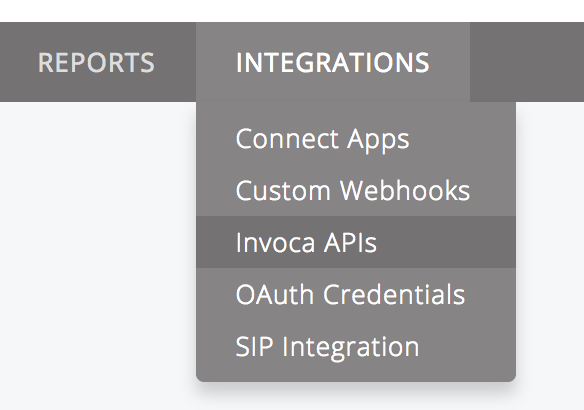 2. On the “Invoca API Credentials” page, click “New API Credential”
3. Enter Description and click Save.
Note: It is recommended to provide a description that identifies the API type and use.
## Delete an API Token
To delete or remove an API token from your platform:
1. From the Navigation Bar, hover on Integrations and select “Invoca APIs”
2. On the “Invoca API Credentials” page, click the delete icon associated to the API token to delete.
## API Guidelines
* Users should generate their own API tokens. Tokens should be treated like passwords and not be emailed or transmitted over other insecure mediums, nor should they be stored in a customer’s source code repository.
* As a network user, you should not generate a token on behalf of Advertisers or Publishers as tokens inherit the privileges of the user generating it.
* Invoca does not use OAuth refresh tokens.
2. On the “Invoca API Credentials” page, click “New API Credential”
3. Enter Description and click Save.
Note: It is recommended to provide a description that identifies the API type and use.
## Delete an API Token
To delete or remove an API token from your platform:
1. From the Navigation Bar, hover on Integrations and select “Invoca APIs”
2. On the “Invoca API Credentials” page, click the delete icon associated to the API token to delete.
## API Guidelines
* Users should generate their own API tokens. Tokens should be treated like passwords and not be emailed or transmitted over other insecure mediums, nor should they be stored in a customer’s source code repository.
* As a network user, you should not generate a token on behalf of Advertisers or Publishers as tokens inherit the privileges of the user generating it.
* Invoca does not use OAuth refresh tokens.